|
|
|
|
|
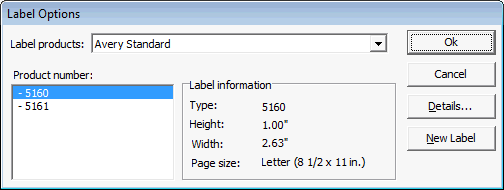
When you process or print cards or labels you will first see the Label Options Dialog.
This dialog allows you to select the label media. OrgPro comes configured for Avery 5160 2.63" x 1 (3 accross) and Avery 5161, 4"X1" (2 across) laser and ink jet labels. OrgPro also supports Avery business card stock for member and recording cards. These cards come in sheets and you can have them custom printed with your organization's logo, address, phone number, and web site URL. OrgPro will print the member/horse information on the bottom portion of the card. You can also configure virtually any other label by clicking the New Label button and entering in the parameters that define the labels... | |
|
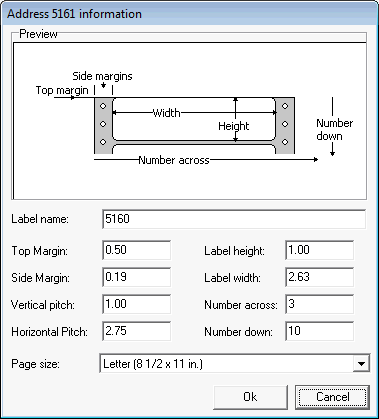
MS Word is a handy reference for label parameters, You'll find that the MS Word label parameter handling is very similar to what is in OrgPro.
This shows a configuration for Avery 5160 which is a common three across ten down label that is particularly well suited for mailing labels.
|